Scraping Google News with 'rvest'
Scraping Google News with rvest (2020’s update)
Updated on 2026-08-25. This is an enhanced and substantially different version of the original article published in R-Bloggers in 2018.
This is an example of how to scrape Google News website with the rvest package.
First off, you should take a look at the Google News website HERE, which I reproduce below:
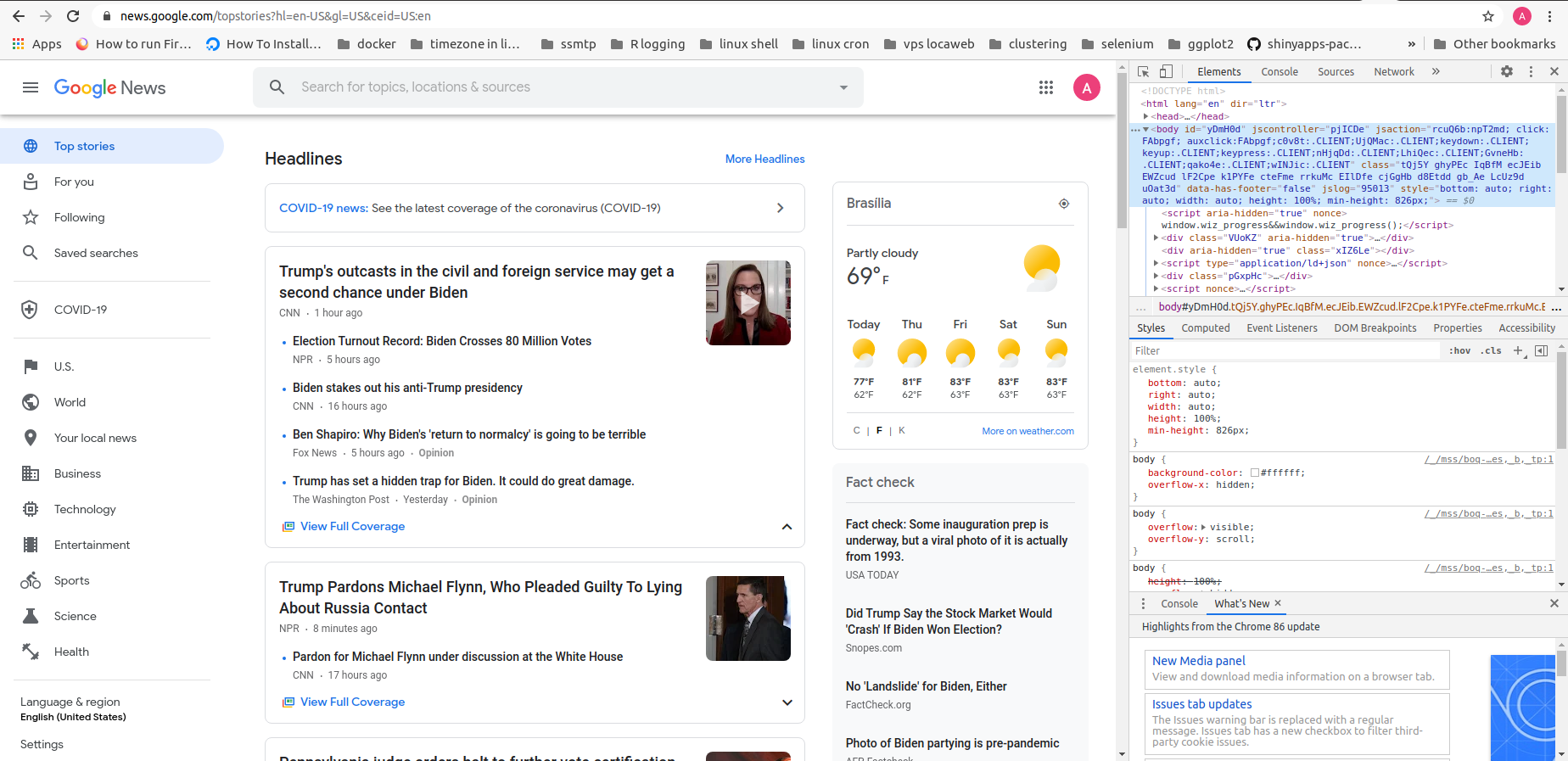
You may notice, on the right side of the page, that we are using Google Chrome dev-tools. This is necessary in order to identify the html nodes we need. You can access this tool by hitting the F12 key. The html nodes are passed as arguments to the rvest functions.
Basically, the idea is to extract the communication vehicle (vehicle), the time elapsed since the news was published (time), and the main headline (headline).
The code and comments are presented below:
# loading the packages:
library(dplyr) # for pipes and the data_frame function
library(rvest) # webscraping
library(stringr) # to deal with strings and to clean up our data
# extracting the whole website
google <- read_html("https://news.google.com/")As we can see, the Google News website is divided in rectangular chunks of headlines and other info. Therefore, our strategy is to first scrape the whole chunks, and then, for each chunk scrape the information of interest: vehicle, time, and headlines.
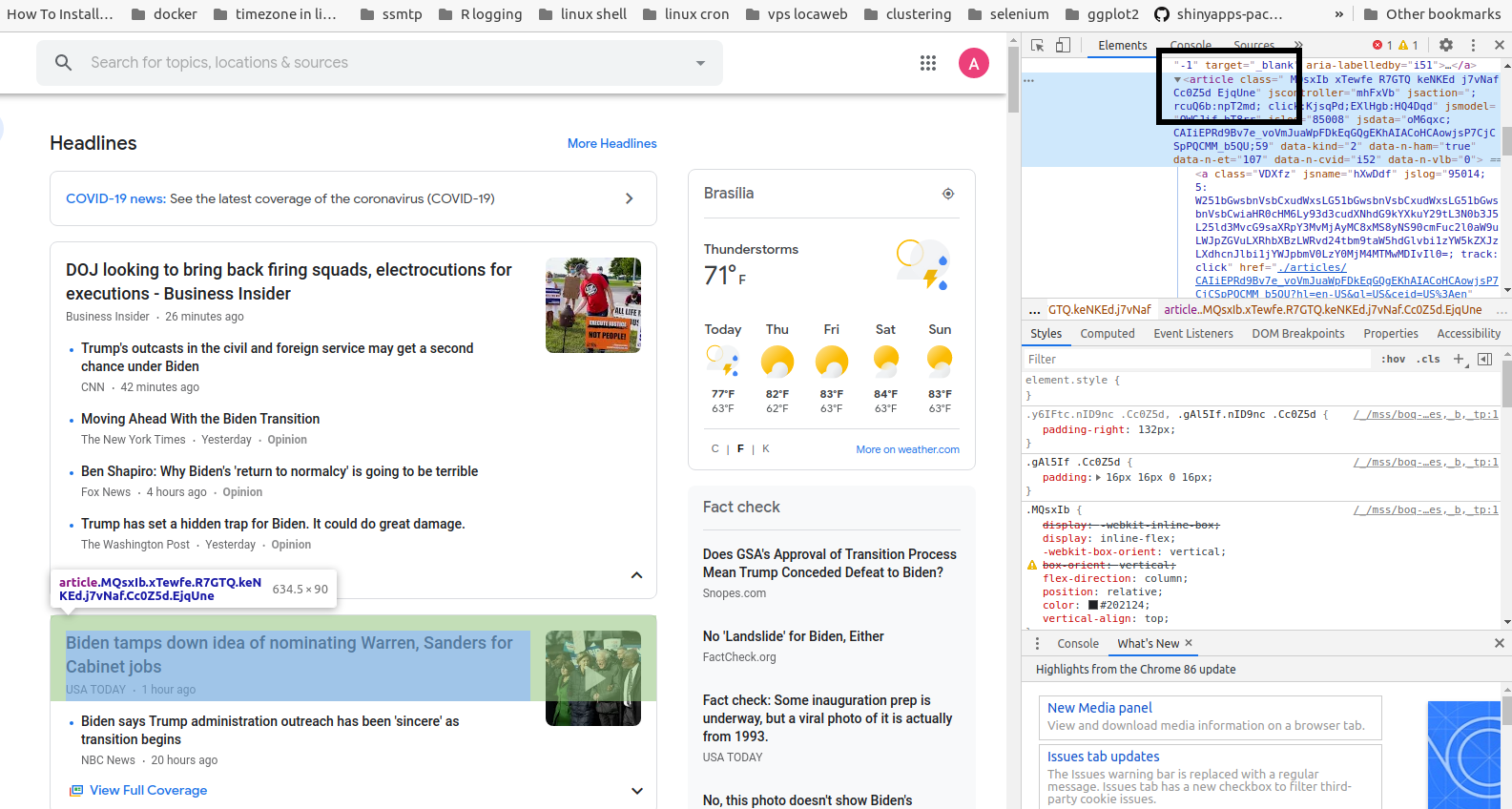
We start scraping the whole chunks of articles. By using the “inspect” tool of our browser, we can see that the “article” \HTML node is the one that identifies each chunk.
# extracting the headlines
# and using stringr for cleaning
article_all <- google %>% html_nodes("article")

article_all
## {xml_nodeset (0)}Having the whole chunks, now we can separately scrape the information of interest:
times <- article_all %>%
  html_node("time") %>%
  html_text()

vehicles <- article_all %>%
  html_nodes("a.wEwyrc.AVN2gc.uQIVzc.Sksgp") %>%
  html_text()

headlines <- article_all %>%
  html_nodes("a.DY5T1d") %>%
  html_text()
Let’s take a look at these vectors:
# take a look at the first ten
headlines[1:10]
## [1] NA NA NA NA NA NA NA NA NA NAvehicles[1:10]## [1] NA NA NA NA NA NA NA NA NA NAtimes[1:10]## [1] NA NA NA NA NA NA NA NA NA NAIt seems all good!
Then, we can proceed to generate our final tibble:
tb_news <- tibble(headlines, vehicles, times)

tb_news
## # A tibble: 0 × 3
## # ℹ 3 variables: headlines <chr>, vehicles <chr>, times <chr>That’s all!
Enjoy Reading This Article?
Here are some more articles you might like to read next:
- 'mRpostman' 1.4.0 is on CRAN
- 'treeSS' - Tree-spatial scan statistics in R
- QFRA 2026 in Zakynthos - Distribution-Based Algorithms for Pairs Trading
- ECIS 2026 in Milan - Spatiotemporal Patterns of Chronic Care Delivery
- A Bayesian approach to distribution-based signals in pairs trading
- A collaboration in food science - xylanases and bread quality in the Journal of Food Science
- Presenting at the SIAM Conference on Financial Mathematics and Engineering (FM25)
- A tree-spatial scan statistic - new paper in Environmental and Ecological Statistics
- GSC Award for Excellence in Teaching at K-State
- 'mRpostman: An IMAP Client for R' published in the Journal of Open Research Software